Most packaged goods already arrive at the shop with a barcode: the manufacturer printed it, the till scans it, and that's that. A good part of a small shop's sales isn't like that, though. The bread roll, the loose apples, the cheese cut at the counter, the savoury scones you bake yourself — these have no barcode, or if they do, you stuck it on.
That is where all the questions come from. Do you need to apply for your own EAN code? Can you simply make up a number? What does the scale print on the label? Is a barcode scanner worth buying, and what do you do with goods that have nothing on them? This article goes through them, starting from what a small shop really needs to know — not a distribution centre.
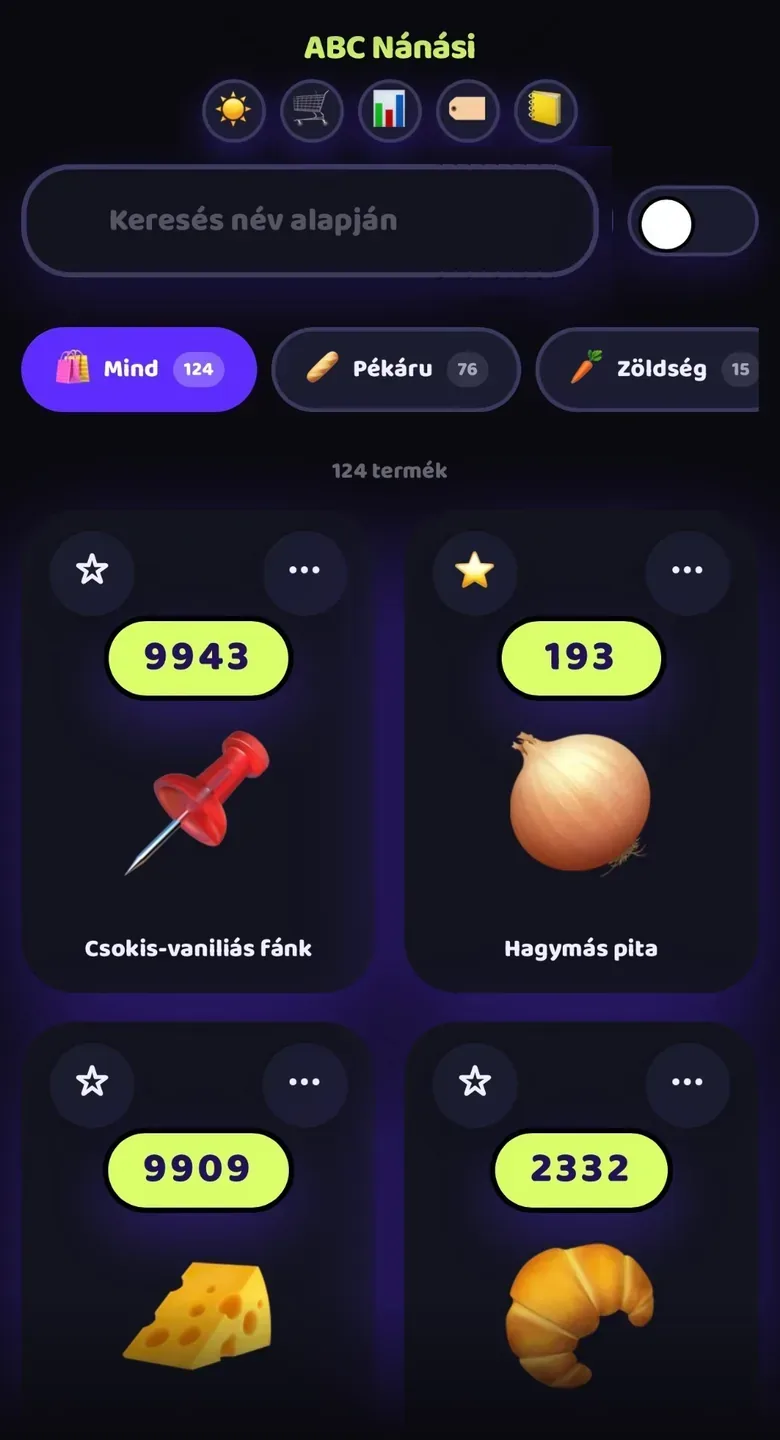
Let's clear one thing up front: we make Boltom App, which doesn't read or print barcodes. It records sales by photo, by short code or by saying the product's name, which means it was made precisely for goods without barcodes. The advice below holds regardless, whatever till you use.
What is an EAN code, and what do the 13 digits mean?
An EAN code is a number, and the barcode is its machine-readable drawing. The global barcode system calls the number a GTIN, or global trade item number; in shops, the 13-digit version is the most common. The first digits show which national organisation issued the range, the following ones identify the company and the product, and the last one is a check digit the till uses to catch a faulty scan.
| Code type | What is it for? | Who issues it? | Can it leave the shop? |
|---|---|---|---|
| EAN-13 (GTIN-13) | The code on most consumer products, with 13 digits | The manufacturer or brand owner, from a range received from the national organisation | Yes — it is unique worldwide |
| EAN-8 (GTIN-8) | A short code for very small packaging where 13 digits won't fit | The same national organisation, on separate request | Yes |
| UPC (GTIN-12) | A 12-digit version used mainly in North America | The manufacturer, from the same global system | Yes — tills typically read it alongside EAN |
| In-store code | Own products, weighed goods, marking within the shop; typically starts with 2 | You, according to your own code list | No — it is only unambiguous in your shop |
| Weight- or price-embedded label | Weighed goods: besides the product, the code also carries the weight or the price | The scale or the label printer, according to your settings | No |
| 2D code (for example QR) | Carries more data, such as a batch number or an expiry date; appearing on more and more products | The manufacturer | Yes, if it was made according to the global system's rules |
A common misconception: the first digits don't show the product's country of origin, only where the company registered its code. A product made elsewhere can carry a domestic prefix, and the other way round. The code tells you nothing about the price, the quality or the ingredients — only which product it is.
The manufacturer's code is the manufacturer's job, not the shopkeeper's
If you don't make the product and it isn't sold under your name, its barcode is none of your business: the manufacturer or the brand owner applies for it and is responsible for keeping it unique. The retailer only scans the code and assigns a price to it in their own system. If a supplier's product has a missing or unreadable code, report it to the supplier — don't replace it permanently with a number of your own.
You need your own official code when the product goes on sale under your name and leaves your shop. The most common situations:
- You sell an own-brand product to other shops, a wholesaler or a webshop.
- A retail chain or an online marketplace wants to list your product — they typically ask for an official code.
- You sell your own product in fixed-weight, pre-packed units in several places.
- You supply a partner whose stockroom and till work from barcodes.
In that case you go to the national organisation of the global barcode system. As a member you get a company prefix from which you can assign numbers to your own products, and you record the product data for them in the registry. This typically comes with a joining fee and an annual fee, depending on the size of the range. Be careful with codes sold cheaply online "one at a time": they originally belonged to another company, and more and more retailers and marketplaces reject them because the registry doesn't show your name.
In-store codes: when are they enough?
For many products in a small shop, an official code is unnecessary. If you only sell the product at your own counter, an in-store code is enough: one you issue yourself and that only means something in your own system. The global system reserves a separate range for this: the prefixes starting with 2 (20–29) are intended for use within a shop, so they never clash with any manufacturer's code.
- Bakery items and cakes you bake yourself and sell only in your own shop.
- Weighed goods you pack at the counter: cheese, cold meats, olives, seeds.
- Goods arriving in bulk that you split into smaller units.
- A supplier's product with a missing code — but only until the supplier fixes it.
- A gift basket or bundle offer you put together yourself.
An in-store code has one strict rule: it must not leave the shop. Another shop may use the same number for something completely different, and its till will either not recognise it or ring it up as another product. Within the 2 range, what's more, tills and scales interpret some prefixes as weight or price codes — which ones is decided by the national organisation's recommendation and the settings of your own equipment. Before you hand out in-store codes, check in the manuals of your till and your scale which prefix is free.
Weighed goods: weight- and price-embedded labels
The label-printing scale behind the counter doesn't only show the weight. It prints a barcode that contains the weight or the price to pay alongside the product's in-store code. The till scans it and, instead of looking up the price assigned to the product, takes the figure straight from the label. That is how even weighed cheese becomes a single scan.
| Part of the code | What does it mean? | What to watch out for? |
|---|---|---|
| Prefix (starts with 2) | Tells the till this is an in-store code carrying a weight or a price | The scale and the till must read the same prefix the same way |
| Item number | The product's in-store code, for example that of the semi-hard cheese cut at the counter | One product, one item number — if the product is discontinued, don't give its number to another |
| Weight or price | The weight measured by the scale, or the price to pay it calculated | Decide in advance which one you encode, and set the till up the same way |
| Check digit | Used to catch a faulty scan | The scale calculates it; don't alter anything on the label by hand |
If your scale doesn't print labels, weighed goods are in the same position as goods without barcodes: they have to be recorded at the counter, as quickly and consistently as possible. In many countries, scales used for trade are subject to verification rules — this applies to the scale, not the label, but it's worth asking about before you buy.
Your own products: own baking, own packing
Bread rolls you bake yourself, homemade jam, walnuts packed into smaller bags — these can be your shop's best goods, and they raise the most questions too. The decision comes down to a single question: does the product stay at your counter, or will someone else sell it as well?
- You only sell it in your own shop: an in-store code is enough, or you can record it at the counter without a label, with a quick code and a photo.
- You weigh it and sell it that way: the scale's weight- or price-embedded label sorts it out.
- You sell it in fixed-weight packs, but only in your shop: an in-store code is enough here too, as long as every pack size gets its own code.
- A neighbouring shop, café or webshop would also sell it: you need an official code, in your name.
- You would supply a retail chain or a wholesaler: you need an official code, and they typically also ask for the product data from the registry.
If you're unsure, start with an in-store code. If a partner asks for an official code later, apply for one, and from then on the product gets the new code. Then phase out the in-store one — don't keep using both in parallel, because two codes on one product mean two separate lines in the report.
„A barcode doesn't make a product sellable; it makes the counter faster. As long as the product doesn't leave your shop, the question isn't what code it gets but how quickly the assistant finds it.”
Barcode scanners and label printers: when do they pay off?
A barcode scanner speeds things up where there are a lot of packaged goods arriving with a manufacturer's code. In a shop where half the sales are bakery items and loose vegetables, the scanner only speeds up one half of the queue — the other half needs a different solution. So before you buy, check what share of your sales carries a barcode at all.
| Scanner type | Advantage | Drawback | Who is it for? |
|---|---|---|---|
| Wired handheld scanner | Cheap, simple, no charging; it typically behaves like a keyboard and types the number wherever the cursor is | The cable length limits you | Small counter, one till, moderate packaged-goods sales |
| Wireless handheld scanner | Large, heavy goods can be scanned in the basket or at the shelf | It needs charging, and it can go missing | General store with large packs, off-licence |
| Desktop or counter-mounted scanner | Both hands stay free; you just pass the product in front of it | More expensive, takes up space | High packaged-goods sales, long queues |
| Phone or tablet camera | No separate device needed | Slower, unreliable in poor light | Occasional use, few packaged goods |
| Imaging scanner that also reads 2D codes | Reads both traditional and 2D codes, even from a screen | Somewhat more expensive | Anyone buying a new scanner now — 2D codes are spreading |
It's worth working out the payback in time, not money. If you key in 300 packaged items by hand every day and scanning saves 4 seconds per item, that is 20 minutes a day — more than a full working day over a month. If you only have 40 such items a day, though, the gain is a few minutes, and your money is better spent on a label printer or a better-planned shelf layout.
- Direct thermal label: needs no ribbon and is cheap, but heat and light fade it — fine for short-lived goods such as the day's bakery items.
- Thermal transfer (ribbon) label: more durable, and stays readable in the fridge and the freezer — for anything that sits on the shelf or in the freezer for weeks.
- Label-printing scale: for weighed goods, it weighs, calculates the price and prints the barcode in one go.
- Handheld price gun: it prints no barcode, only the price — but it can still be useful on the shelf and for bulk goods.
Goods without barcodes at the counter
Bread rolls, loose apples, cakes sold by the piece, pick-and-mix sweets — a significant part of a small shop's sales crosses the counter without a barcode. The answer isn't to stick a label on everything. The answer is that the assistant finds the product in one move, without having to think.
- Quick code: a short, meaningful number for the most common products, grouped by category — for example bakery items in one number range and vegetables in another. Assistants know them by heart within a few days.
- Photo: a picture next to the quick code, so a new assistant can recognise the product at a glance — especially with similar-looking pastries.
- Category: goods that sell less often shouldn't be among the quick codes but within a category, reachable in two taps.
- By the piece or by weight: decide in advance how you sell what — bread rolls by the piece, apples by the kilo — and make the recording follow suit.
- Spoken name: if your system allows it, saying the product's name is quick too, when your hands are full.
- The same on the shelf and at the counter: put the quick code on the small sign in front of the basket or the shelf as well, not only on the list by the till.
Choosing and numbering your first fifty quick codes has an article of its own. The point here is simply this: goods without barcodes are not a problem as long as they are recorded quickly and consistently. The problem is when everyone rings them up differently — one assistant as a catch-all "bakery" line, another product by product — because then in the evening the report won't show you what sold and what made a profit.
Common mistakes, and how to prevent them
Most barcode problems are not technical but organisational. The same mistakes repeat from shop to shop, and almost all of them come to light at the counter, in front of a customer.
| Mistake | What happens at the counter? | How to prevent it? |
|---|---|---|
| The same in-store code on two products | The till rings up the wrong product at the wrong price | One list, one person responsible; only issue new codes from the list |
| The same code on two pack sizes | The half-kilo and the one-kilo pack go through at the same price | Every pack size is a separate product with its own code — manufacturers do it the same way |
| A wrong or old label on the shelf | The customer sees something on the shelf other than what the till charges | When a price changes, update the shelf label and the till at the same time, and go through one shelf row every week |
| The outer case code is scanned instead of a single item | The till rings up the whole case or an unknown product | Unpack cases in the stockroom and cover or cross out the case code |
| An in-store code on a product that left the shop | The partner shop's till doesn't recognise it or reads it as another product | Anything that leaves the shop gets an official code |
| An in-store code with a prefix the till reads as a price code | The till reads part of the code as a price or a weight | Check in the manual which prefix is free before you start numbering |
| A catch-all line for everything that didn't beep | The counter is fast, but the report shows a single "other" line | Goods without barcodes should get their own quick codes too |
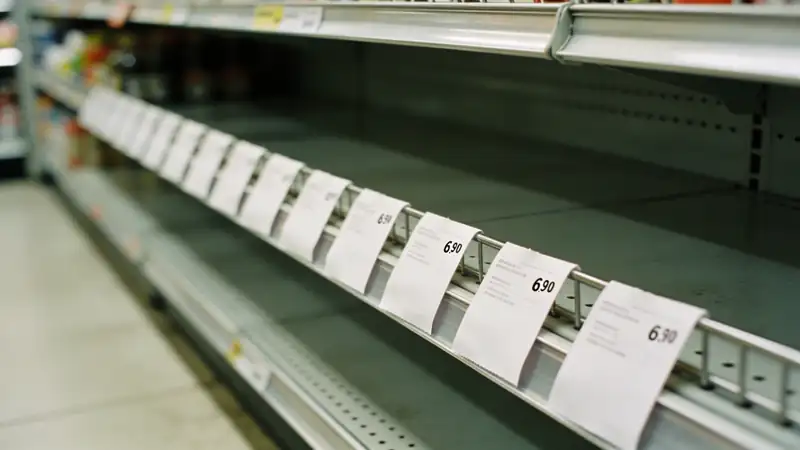
Introducing it step by step
You don't have to sort everything out at once. The order does matter, though: first the list, then the codes, and only at the end the hardware. Anyone who starts with the scanner typically ends up with a pile of scanned numbers that don't belong anywhere.
- 11. Work out what arrives with a barcode and what withoutFor a week, watch how much of your sales is packaged goods with a manufacturer's code, and how much is bakery items, weighed goods and bulk goods. That decides what to spend on: a scanner, a label-printing scale or getting your quick codes in order.
- 22. Make one shared code listA spreadsheet is enough: code, product name, pack size, selling unit (piece or kilo), price, category. Every new code is born here, and a single person is responsible for it.
- 33. Decide on your in-store rangeCheck the settings of your till and your scale: which prefix is free for in-store codes, and which one is taken by weight or price codes. Reserve a separate number range for each category.
- 44. Enter the most important fifty products firstFor packaged goods, the manufacturer's code; for the rest, a quick code and a photo. The rare items can wait — they come along as you go, when a customer asks for them.
- 55. Label, and match up the shelvesYour own products and weighed goods should get a label, and the shelf and the signs in front of the baskets should show the same code and price as the till. Go through one shelf row per evening, not the whole shop.
- 66. Review the report after two weeksLook for catch-all lines, codes that have never sold and items that went through suspiciously cheaply. They show you where the system is slipping — and which code needs fixing or deleting.
Checklist
- I know what share of my sales arrives with a manufacturer's barcode and what share without.
- I don't replace suppliers' codes with my own numbers, except temporarily, and I report the problem to the supplier.
- I know which of my own products leave the shop — and I have applied for official codes for them.
- My in-store codes are in the in-store range, and I have checked which prefix is taken by weight or price codes.
- Every pack size has its own code.
- There is one shared code list, and one person is responsible for it.
- The till reads the scale's label correctly and interprets the weight or price properly.
- The most common goods without barcodes have a quick code and a photo.
- The shelf labels show the same price as the till.
- I only buy a barcode scanner if my packaged-goods sales justify it and my till supports it.
Summary
- The manufacturer's EAN code is the manufacturer's responsibility; the retailer only scans it and assigns a price to it.
- You need an official code when your own product leaves your shop — you apply for it from the national organisation of the global barcode system.
- Anything that only sells in your shop is fine with an in-store code from the range starting with 2, but it must never leave the shop.
- The weight- or price-embedded label turns weighed goods into a single scan.
- A barcode scanner is for packaged goods; bread rolls, loose vegetables and your own baking are sped up by quick codes, photos and categories.
- One shared code list, one person responsible and regular checks of the shelf labels prevent most mistakes.
Frequently asked questions
How do I get an EAN code?
You get an official EAN code from the national organisation of the global barcode system, which you join as a business. As a member you receive a company prefix from which you can issue numbers for your own products, and you record the product data in the registry. This typically involves a joining fee and an annual fee, the amount of which varies by country and by the size of the range. It is only worth applying if your product goes on sale under your name and leaves your shop.
Can I simply make up a barcode for my own product?
Within your shop, yes, if you choose from the range starting with 2 that is reserved for in-store use, and keep it in one shared list. Such a code is only unambiguous in your till; another shop may use the same number for something completely different. If the product goes to another shop, a webshop or a wholesaler, a made-up number won't do — there you need an official code. Even within the 2 range, first check which prefix your till reserves for weight or price codes.
Can I buy barcodes cheaply online?
Some websites sell EAN codes one at a time, but these originally belonged to another company. As a result, the global registry doesn't show your name next to the product. More and more retailers and online marketplaces check this and reject such codes. If your product is heading for wider distribution, it is safer to apply to the national organisation.
What is the difference between an EAN code and a barcode?
The EAN code is a number that identifies the product; the global system calls it a GTIN. The barcode is the machine-readable drawing of that number, the row of black and white bars. The same number can appear as different kinds of barcode, increasingly as a 2D code too. The till reads the number back from the drawing and looks up the price for it.
Do my own bakery items need a barcode?
If you only sell them in your own shop, it isn't mandatory. You can record them at the counter with a quick code and a photo, or, if you pack them, with an in-store code from the in-store range. You need an official code if another shop, café or webshop would sell them too. The mandatory labelling of packaged food — ingredients, allergens, weight, best-before date — is a separate matter governed by local rules.
What does it mean if a barcode starts with 2?
The global system reserves prefixes starting with 2 (20–29) for use within a shop. They are typically the codes of own products, weighed goods, or the weight- and price-embedded labels printed by the scale. Such a code is only unambiguous in the shop that issued it. Which prefix within the range means weight or price is set by the national organisation's recommendation and the settings of the shop's equipment.
How does the price label printed by the scale work?
A label-printing scale prints a barcode containing an in-store prefix, the product's item number, the weight or the price to pay, and a check digit. The till recognises the prefix and, instead of looking up the price for the product, takes it from the label. That way weighed goods can be recorded with a single scan too. What matters is that the scale and the till interpret the same prefix the same way.
What barcode scanner should I buy for a small shop?
For a small counter and one till, a wired handheld scanner is typically enough: it's cheap, needs no charging, and most systems recognise it as a keyboard. If you have a lot of large, heavy goods, a wireless one is more convenient, and with high packaged-goods sales a counter-mounted scanner frees up both hands. If you're buying a new one now, choose one that also reads 2D codes, as they are appearing on more and more products. Above all, ask which type your till works with.
Is a barcode scanner worth it for a small shop?
It pays off when a significant share of your sales is packaged goods arriving with a manufacturer's code. Work it out in time: if you key in several hundred items by hand every day and scanning saves a few seconds per item, that can come to fifteen or twenty minutes a day. If most of your sales are bakery items, loose vegetables and bulk goods, a scanner won't help with them. In that case, getting your quick codes in order brings more for the same money.
What should I do if a supplier's product has no barcode or an unreadable one?
Report it to the supplier, because the code is the responsibility of the manufacturer or the brand owner. Until then, record the product with a quick code or a temporary in-store code, and write this on the code list too. When the goods arrive with a proper code, phase out the temporary one. Don't stick your own code on the product permanently, because two codes on one product mean two separate lines in the report.
How should I handle goods without barcodes at the counter?
Give the most common products a short, meaningful quick code, grouped by category, and a photo so that a new assistant can recognise them too. Goods that sell less often should be reachable within a category, in two taps. Decide in advance what you sell by the piece and what by the kilo, and set up the recording to match. Most importantly, everyone should ring them up the same way, otherwise the report won't show you what sold.
Does Boltom App read barcodes?
No, Boltom App doesn't read or print barcodes, and it doesn't replace the till. It works alongside your existing till and records sales by photo, by short quick code or by saying the product's name. That is exactly what helps with goods without barcodes: bakery items, loose vegetables, your own baking. And in the evening it shows turnover and profit by product and by category.
Say the product's name and it's there on the till.
Boltom App takes the work behind the counter off your hands. You find a product by looking at its photo or saying its name out loud — no codes, no scraps of paper. Whatever leaves the shelf or goes in the bin is recorded right there, not in a notebook. It works alongside your existing till, not instead of it.
- A quick code with a photo — or just say the product's name and the till finds it.
- Staff consumption in three taps, recorded under the person's name.
- Daily waste with its reason: expired, broken, unsellable — totalled up in money.
No card needed · 2 minutes